
OpenLayout EDA
A complete custom IC design environment, built entirely on open tools.
Draw a schematic, generate its layout, verify it with DRC and LVS, extract its parasitics with a 3D field solver and simulate it post-layout across corners, all from one hub, on the ASAP7 7 nm FinFET PDK.
Found by designing with it.
This release comes from using OpenLayout on a real design, a compute-in-memory SRAM cell: every rough edge that cell exposed in the editors is fixed here.
- Net names drawn on the shapes themselves (Shift+N), scaled to the zoom
- Right-click mirror and rotate for any selection
- Pins and their labels move together
- Standalone transistors snap onto the standard-cell fin grid
- A click selects exactly what the hover highlight shows
- Bus pins (WL[1:0], or Cadence-style WL<1:0>), optionally expanded to one pin per bit
- Several pins placed one at a time, with no leftover “shadow” pins
- Pin labels stay horizontal however a pin is rotated
- Ctrl+S saves straight away
- LVS no longer reports a match for a layout with nothing connected
Upgrading: re-run setup/install.sh, which rebuilds xschem with the new pin-label patch.
Schematic to post-layout sim.
Commercial custom-design suites keep every step of a cell’s life in one place. OpenLayout brings that to open-source tools: the editors, decks, extractors and simulators are tied together by one library manager, one theme, one set of key bindings and live links between them.
- 01Schematicxschem
- 02LayoutKLayout
- 03DRCKLayout
- 04LVSKLayout
- 05PEXFasterCap
- 06Simulationngspice
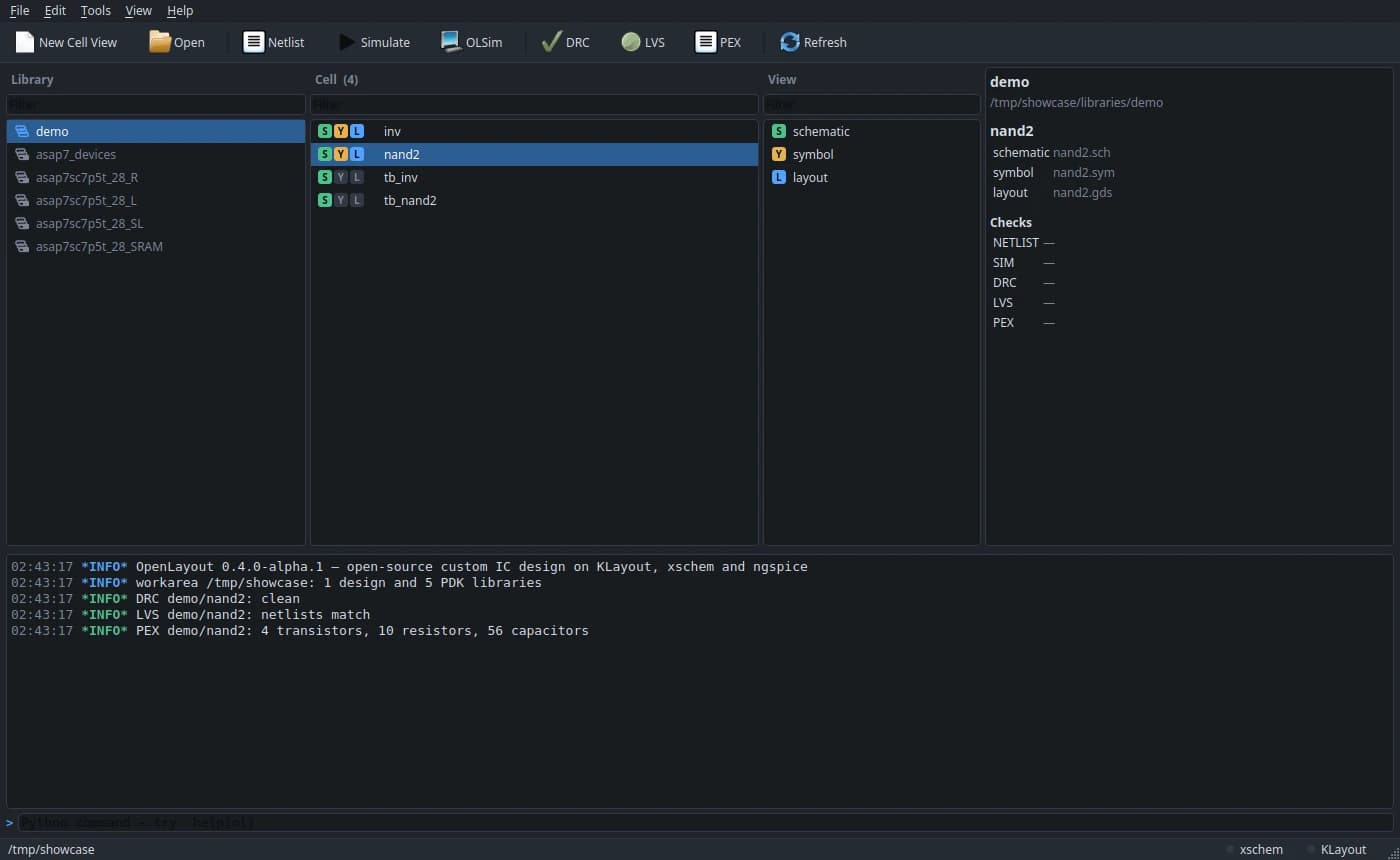
Every library, cell and view in one place.
The hub is where a design lives. A Library Manager shows each workarea’s libraries, cells and views, with the cell’s check status beside it, and a Python command window logs and scripts everything.
- xschem and KLayout run as single sessions the hub drives; views open as tabs
- Netlist, simulate, DRC, LVS and PEX from the toolbar or either editor
- ASAP7 devices and all four 7.5-track standard-cell libraries in every workarea
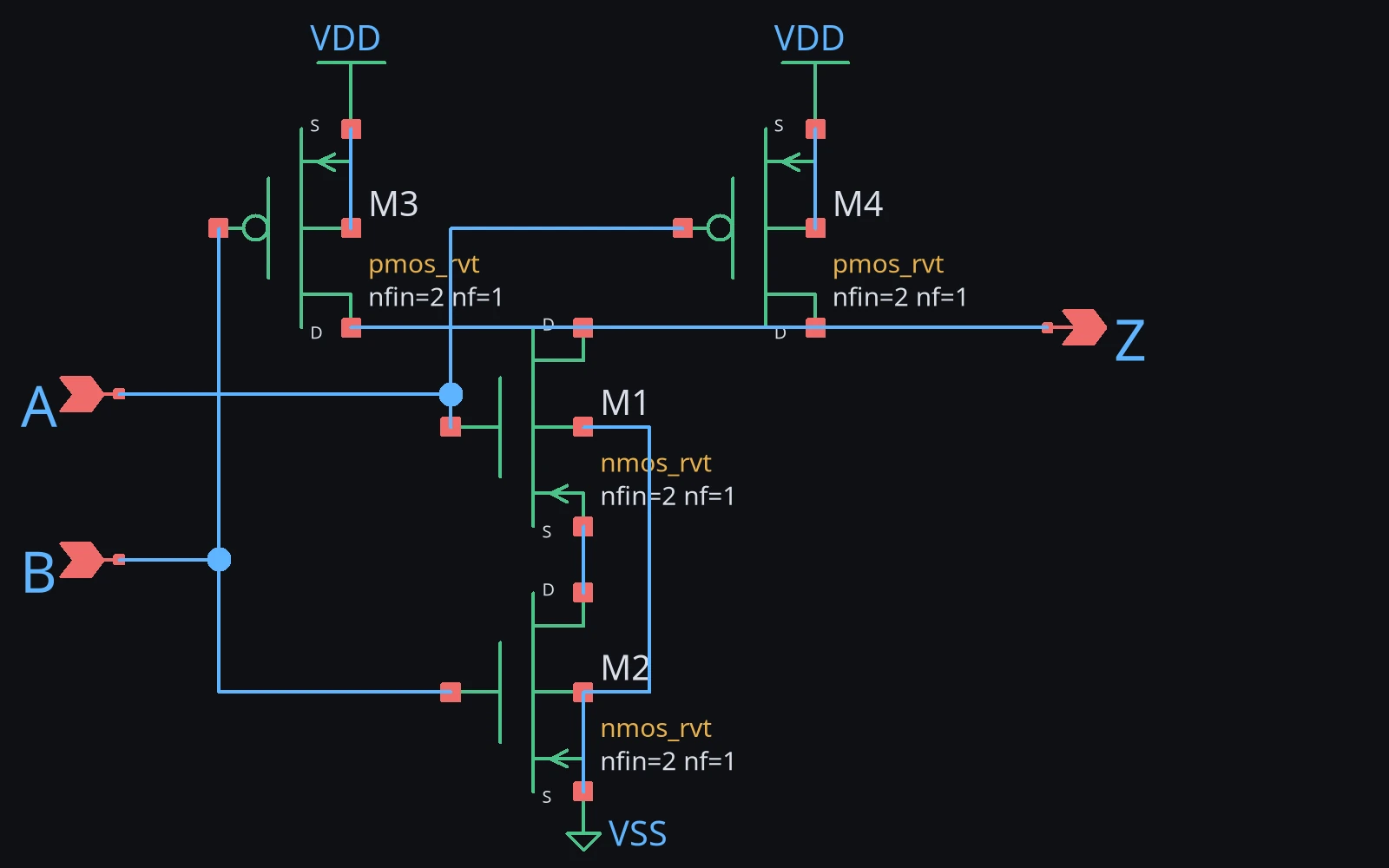
FinFET schematics, ready for layout.
xschem gains the ASAP7 devices (nMOS and pMOS in four threshold-voltage flavours), symbols for every standard cell, and symbol generation from a schematic’s pins. A shared dark theme and Virtuoso-style key bindings make it feel like part of the same tool as the layout editor.
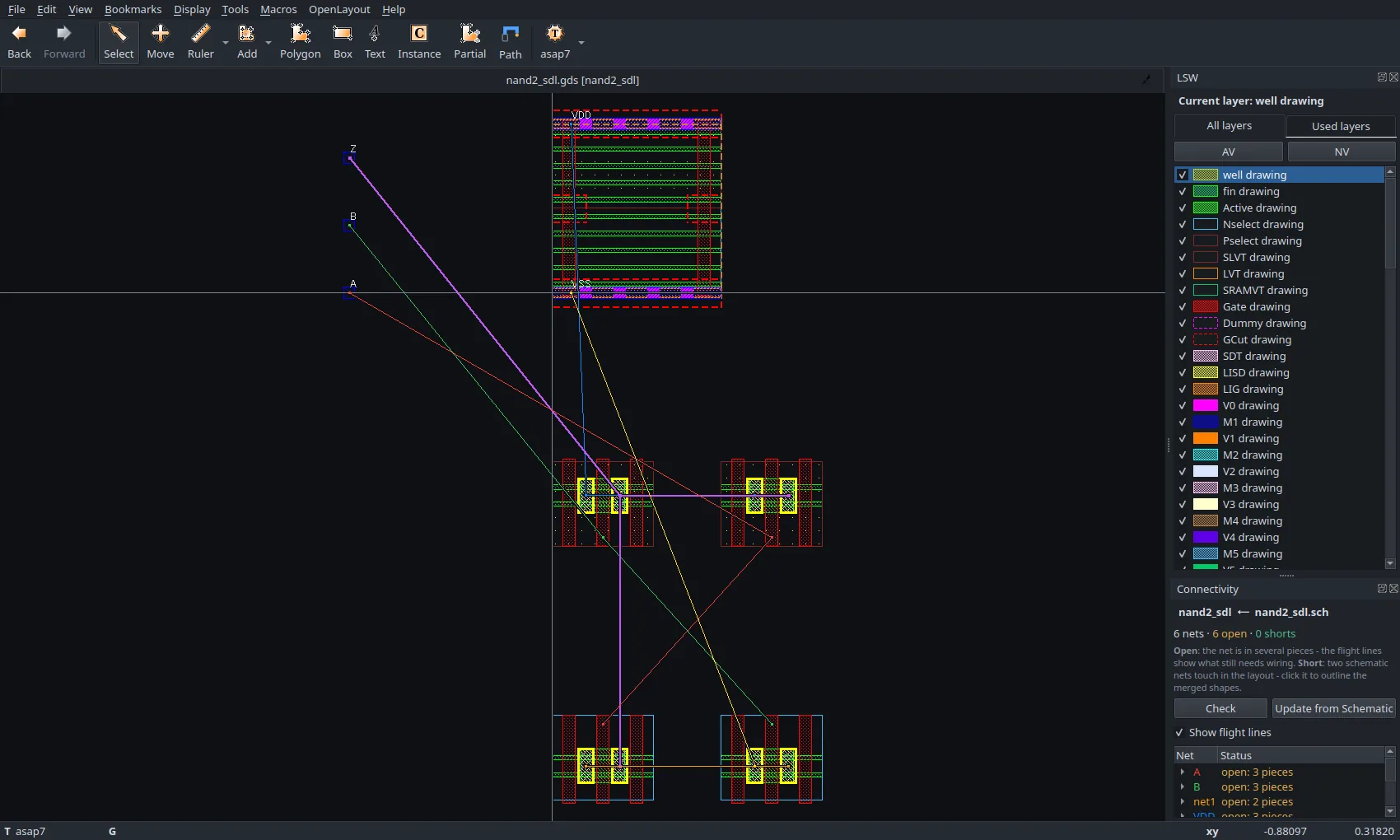
Generate the layout. Then watch the nets close.
One command turns a schematic into placed FinFET PCells that follow the ASAP7 standard-cell geometry: 54 nm gate pitch, fins on the 27 nm grid, dummy gates and diffusion chaining.
- Colour-coded flight lines show every net still to route, updating as you draw
- Shorts are reported once, with the shapes where the two nets meet outlined
- A path tool with alignment guides, drag-move and stretch, and live spacing hints
- Update from Schematic keeps your placement and routing as the circuit changes
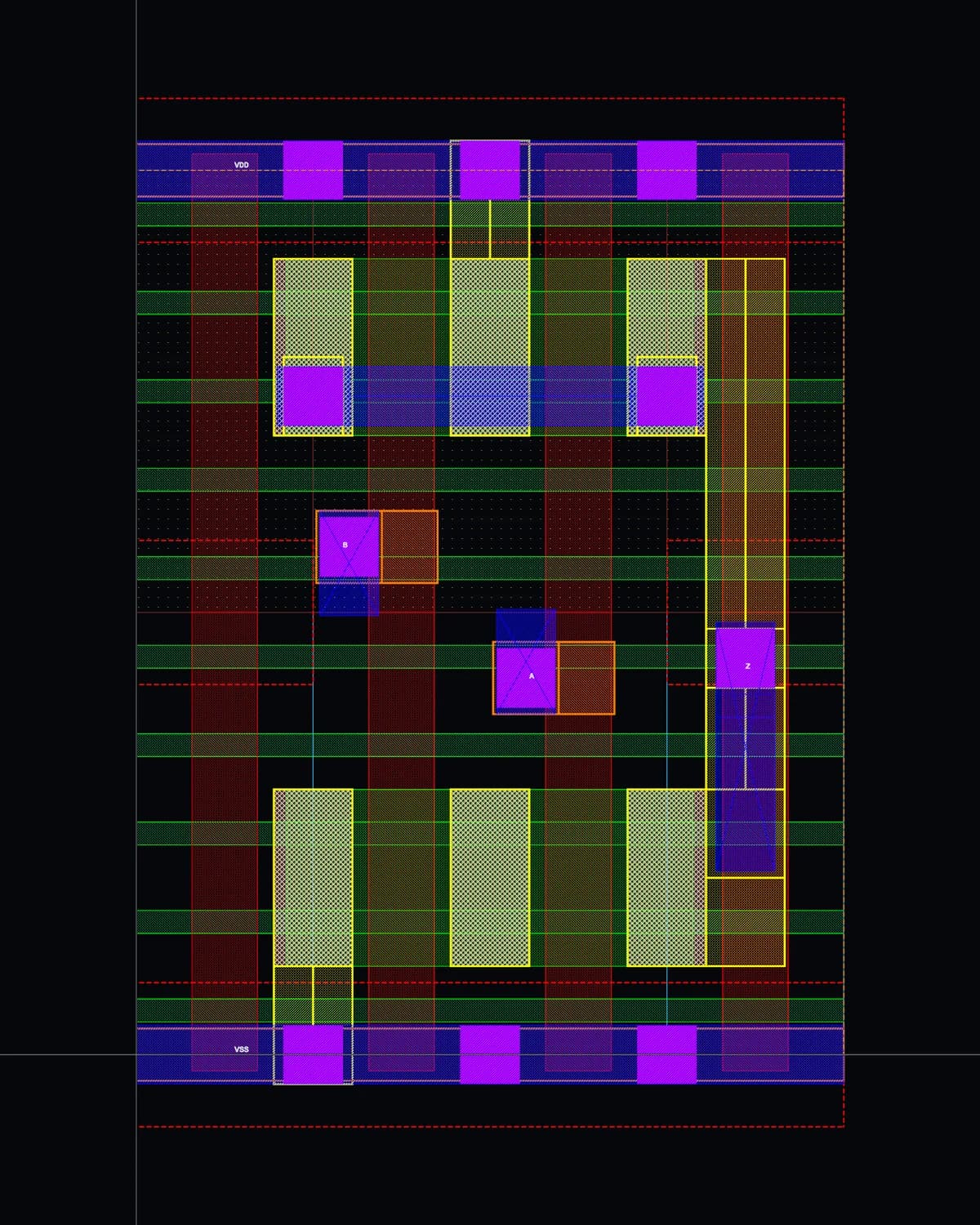
Verified, rule by rule.
A KLayout deck written rule by rule from the ASAP7 design rule manual. Every rule has a seeded test, and the 7.5T RVT library is clean in context.
FinFET extraction with fin counts, VT flavours and split gates, against the xschem schematic or a standard cell’s netlist.
Capacitance from the FasterCap 3D field solver and resistor networks for every wire, contact and via, calibrated to about 2 % in delay.
Each one runs from inside KLayout, the hub or the command line, and reports straight back to the hub’s checklist.
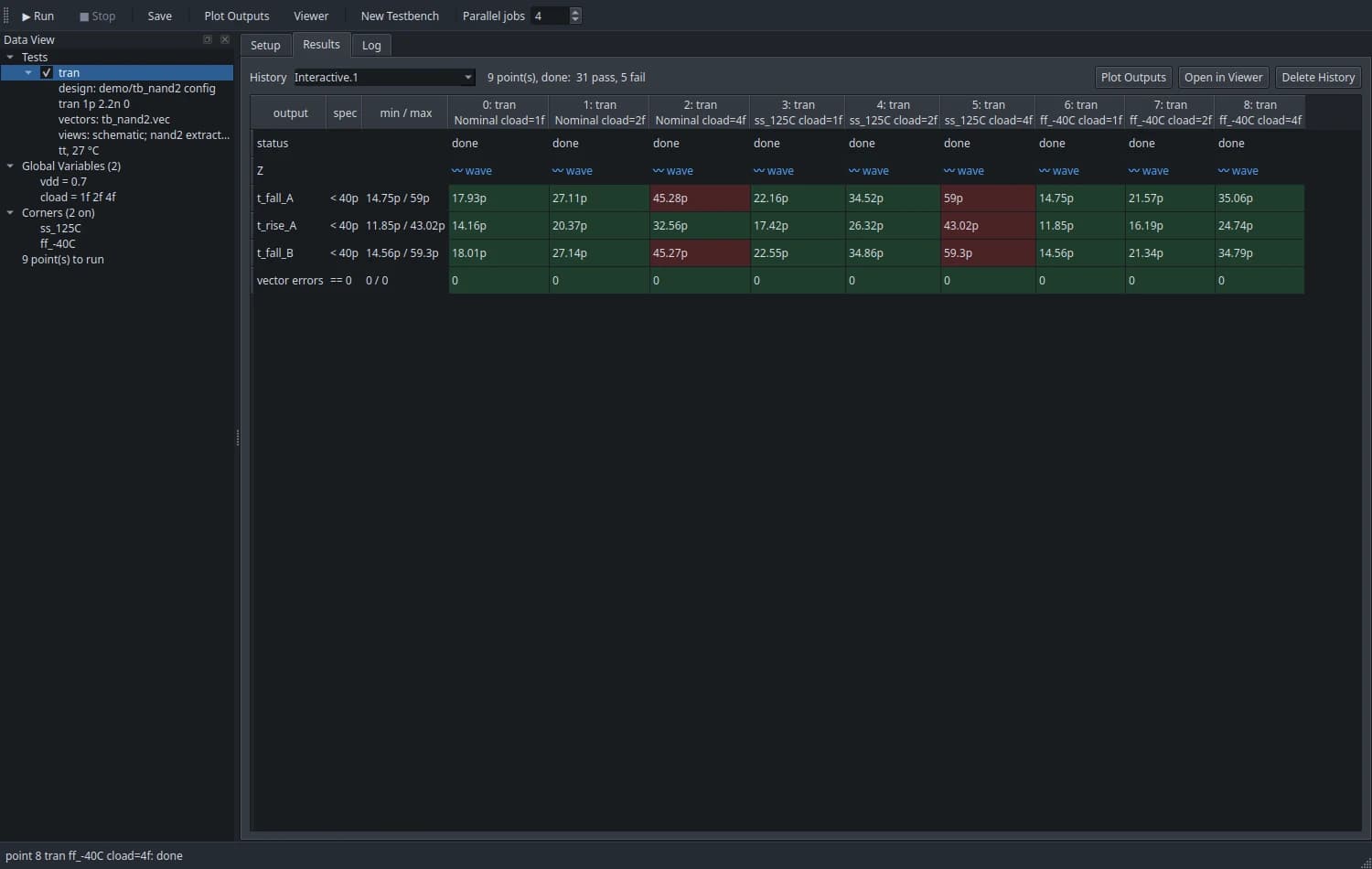
A simulation environment that remembers everything.
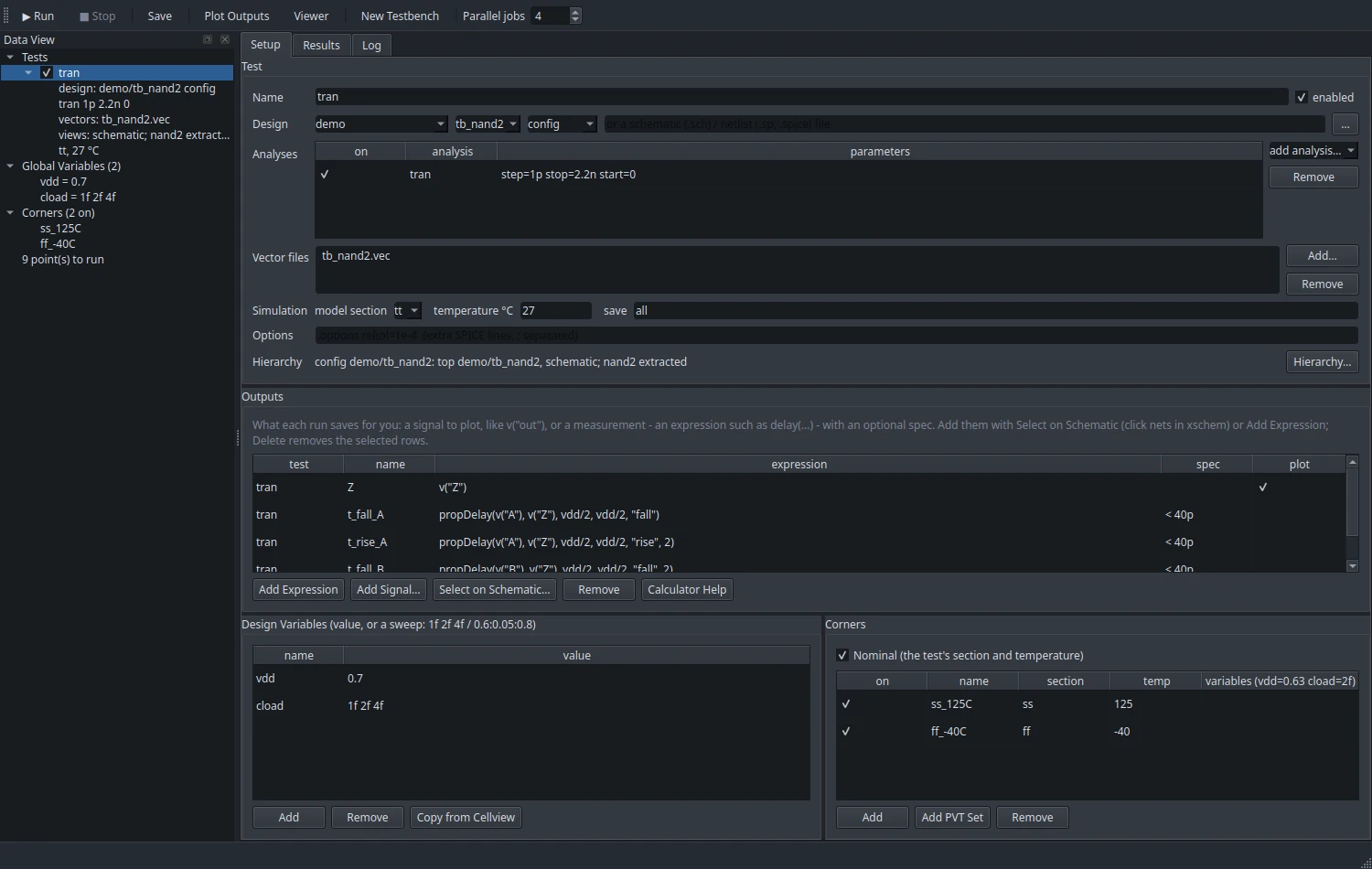
Tests, design variables and sweeps, process corners and outputs with specs. Every point runs in parallel in ngspice, with the BSIM-CMG FinFET model compiled to OSDI, and every run is kept as a history you can reopen.
- Digital vector files drive the inputs and check the outputs
- New Testbench builds one for any cell: supply, loads and vectors
- Pick outputs by clicking nets in the schematic
- Calculator measurements like propDelay, with pass/fail against specs
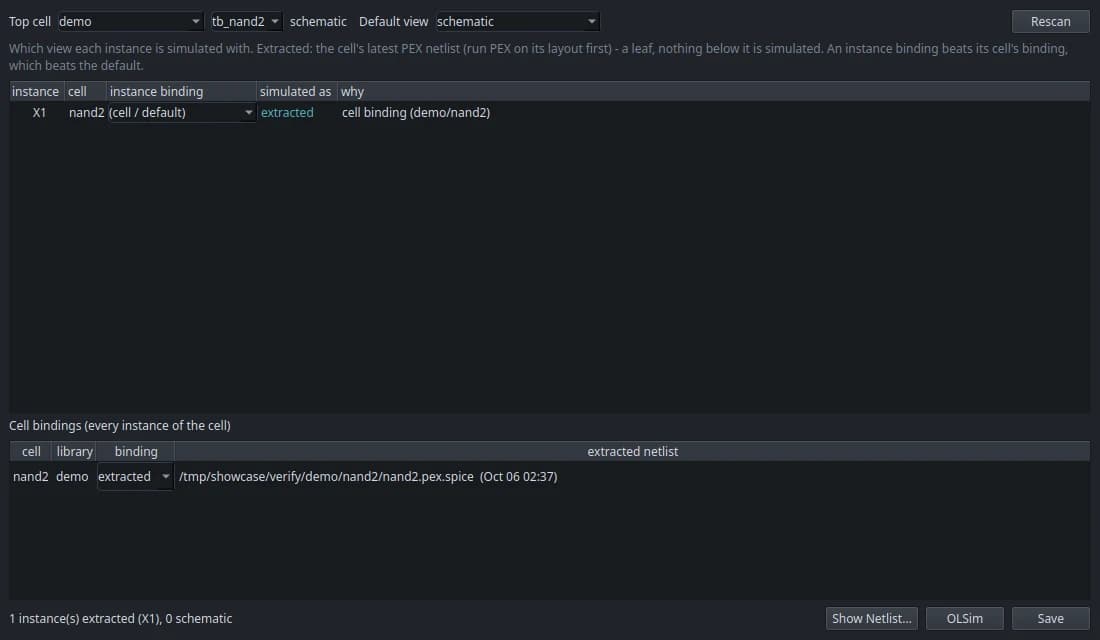
Schematic or extracted, instance by instance.
A config view chooses what each instance simulates with: its schematic, or the parasitic netlist extracted from its layout. Bind a whole cell or a single instance, and OLSim builds exactly that netlist, logging which view every instance used.
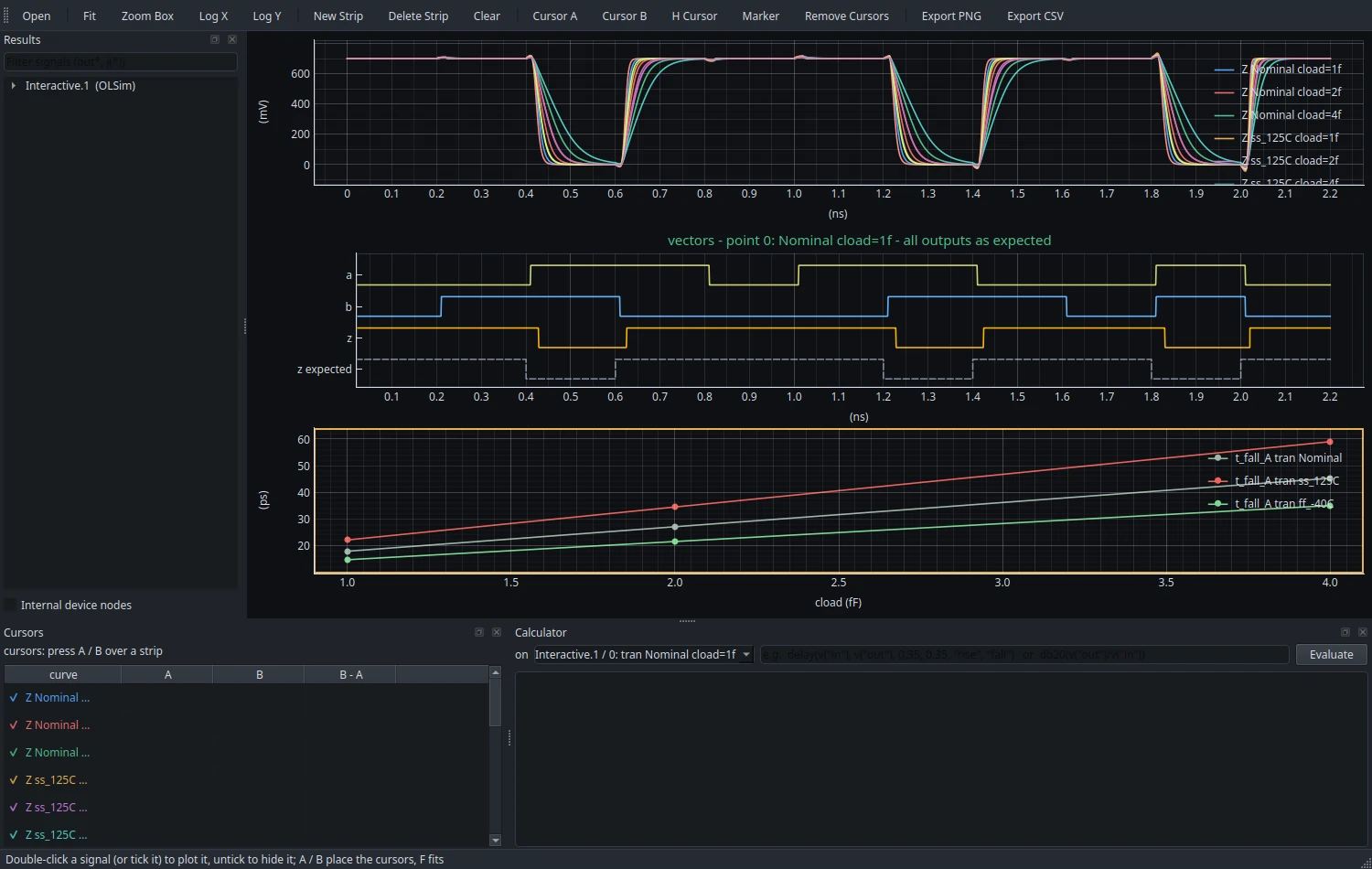
See every corner at once.
A fast pyqtgraph viewer for every run: stacked strips, overlays across corners and sweeps, digital and bus lanes, and parametric plots of any measurement against a swept variable.
- Drag a curve onto another plot to merge them
- Per-signal visibility, cursors, markers and a waveform calculator
- PNG and CSV export
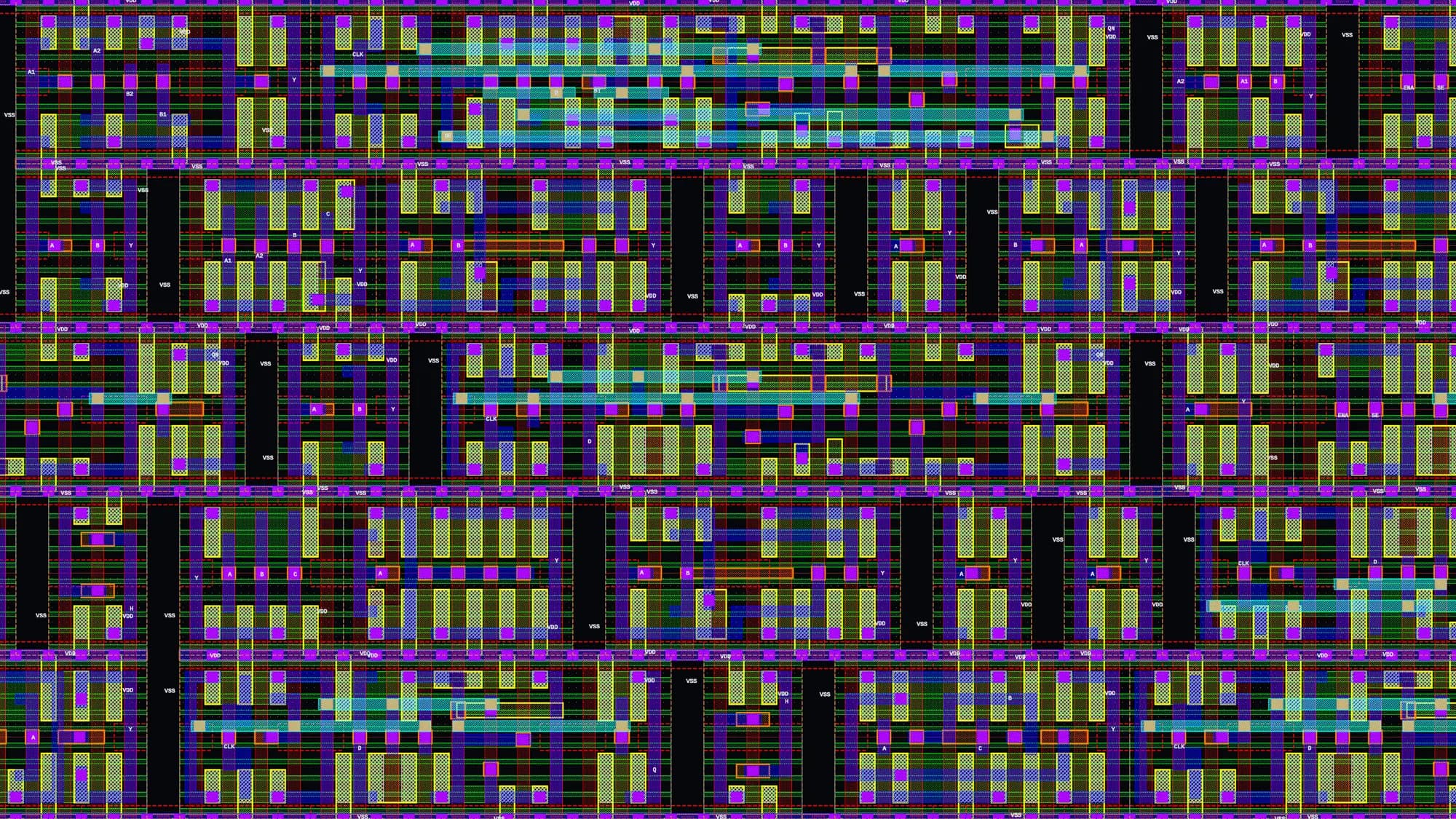
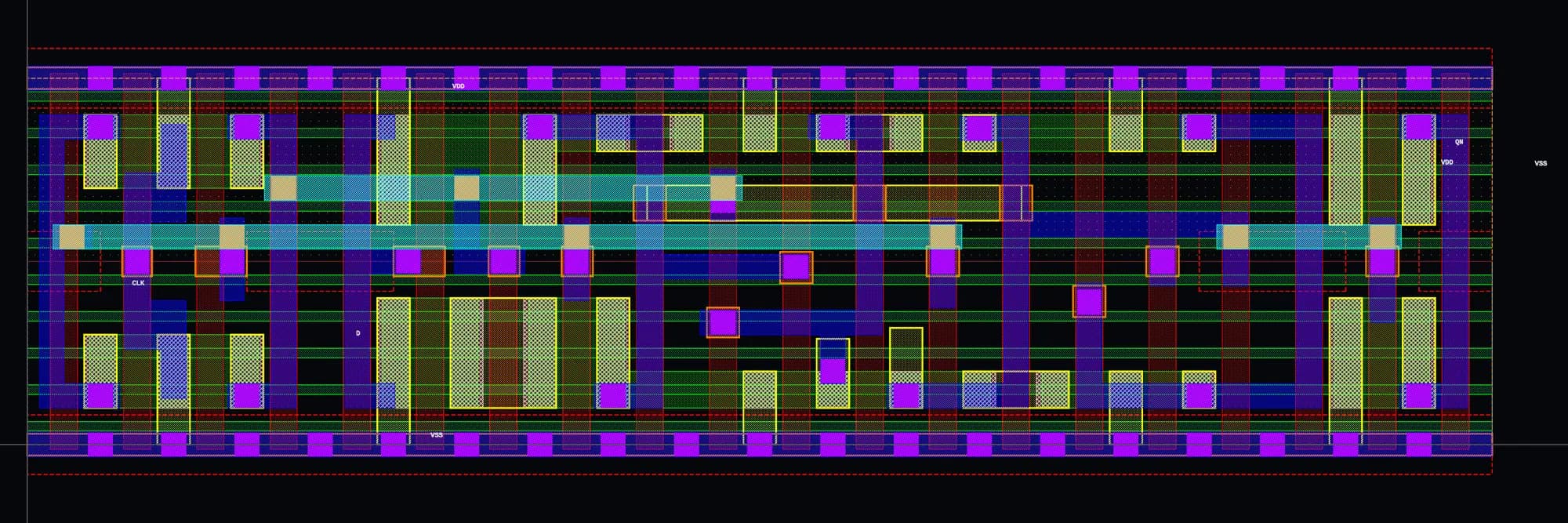
Down to the fin.
Standing on great projects.
OpenLayout itself is GPL-3.0-or-later. The installer downloads each tool and the PDK from its own project, under its own license.
Three commands.
git clone https://github.com/vhdani04/OpenLayout.git ~/openlayout/flow
~/openlayout/flow/setup/install.sh
source ~/.bashrc && openlayout doctor
The installer builds pinned versions of every tool, fetches the ASAP7 PDK and compiles the BSIM-CMG model; openlayout doctor then runs the whole self-test.
- • Support for more PDKs, on the same infrastructure
- • Hierarchical extraction of large blocks, and net cross-probing
- • An 8-bit compute-in-memory MAC, designed end to end in OpenLayout
Built on ASAP7.
OpenLayout targets the ASAP7 predictive PDK and its 7.5-track standard-cell library, developed at Arizona State University with ARM. The DRC deck is written from the ASAP7 design rule manual, and the LVS and PEX regressions and the transistor geometry follow the standard-cell library.
- L. T. Clark, V. Vashishtha, L. Shifren, A. Gujja, S. Sinha, B. Cline, C. Ramamurthy and G. Yeric, “ASAP7: A 7-nm finFET predictive process design kit,” Microelectronics Journal, vol. 53, pp. 105–115, Jul. 2016. doi:10.1016/j.mejo.2016.04.006
- V. Vashishtha, M. Vangala and L. T. Clark, “ASAP7 predictive design kit development and cell design technology co-optimization: Invited paper,” Proc. IEEE/ACM ICCAD, pp. 992–998, Nov. 2017. doi:10.1109/ICCAD.2017.8203889
- ASAP7 PDK Design Rule Manual, PDK release 1p7, Arizona State University, Dec. 2020. github.com/The-OpenROAD-Project/asap7_pdk_r1p7
Try the prerelease.
v0.4.0-alpha.2 is an alpha: expect rough edges, and file formats that may still change before 1.0.
Virtuoso is a trademark of Cadence Design Systems, Inc. OpenLayout is an independent open-source project, not affiliated with or endorsed by Cadence; the name appears only to describe key-binding compatibility.